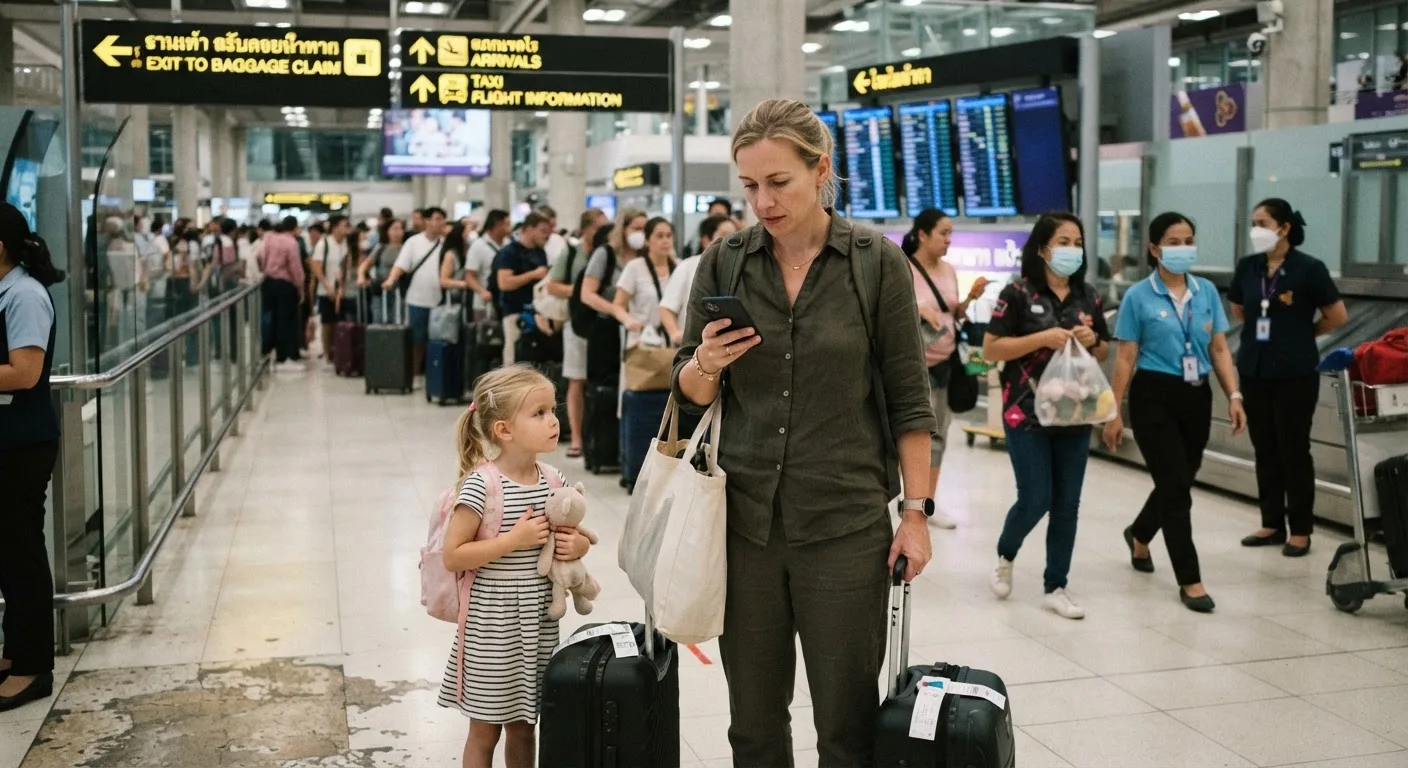
Essential Tech Gear for Remote Working Parents on the Move
The tech a working family actually carries: what earns its weight, the 2026 power bank flight rules, and the gear we stopped packing after the first year.
 By Fabrizio Bestoso · · 21 min read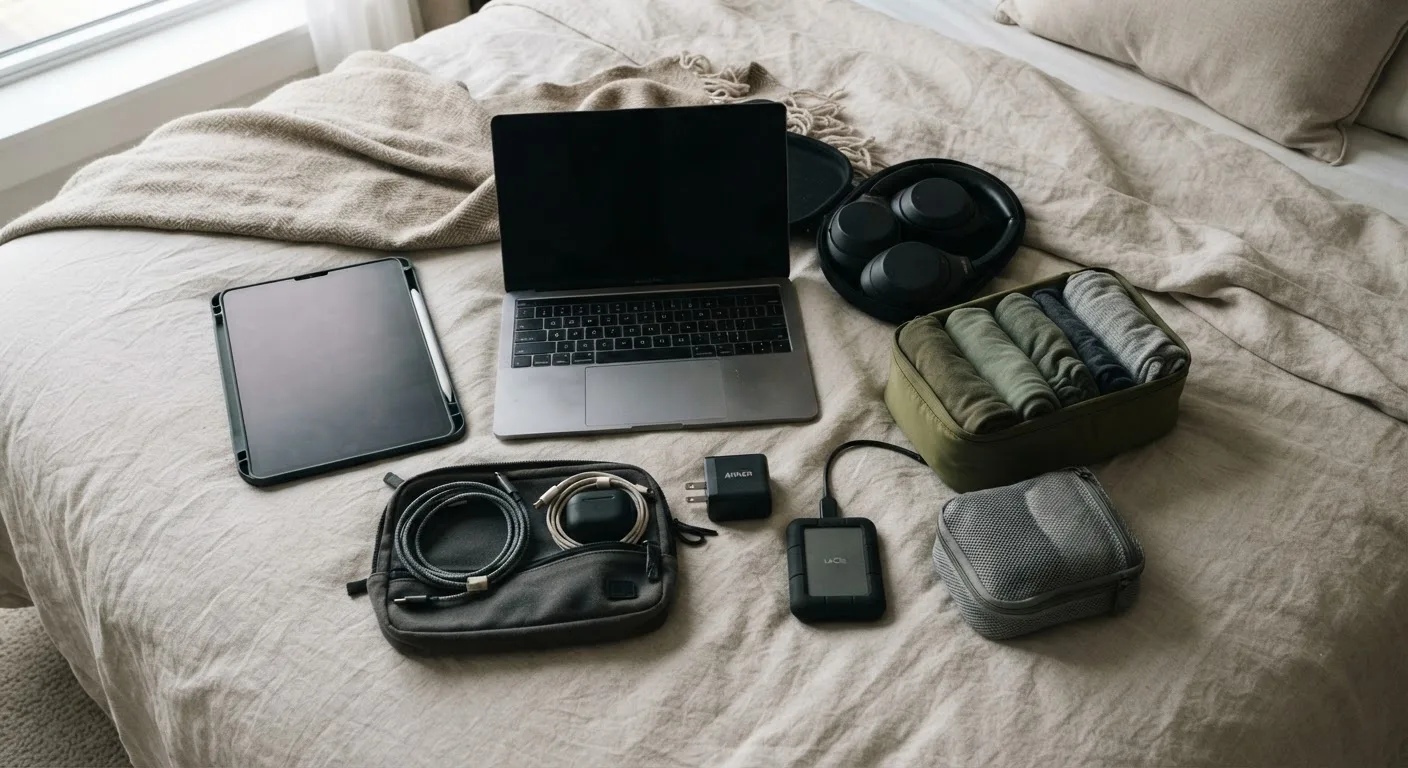
What We Threw Away in the First Year
Some links in this guide may earn us a small commission at no cost to you if you choose to buy through them. We only recommend gear we currently carry or have carried for real, multi-year stretches on the road — nothing here is in the article because a brand sent it to us.
The bag we left home with was wrong. Not slightly wrong — wrong in the way that only becomes obvious after a year of living out of it. We carried a second laptop we called a "backup" that we never once turned on until the day we sold it. We carried a portable printer that made exactly one printout in eleven months. We carried a full camera kit that a phone quietly made redundant. Almost everything we now regret buying was bought out of anxiety rather than need, and almost everything we regret not buying was skipped because we underestimated how much our income and our child's schooling would come to depend on the same small pile of electronics.
That last point is the organizing idea behind this whole guide. For a family working remotely while a child does distance schooling, gear stops being a productivity question and becomes a redundancy question. A monitor is nice. A second internet connection, on the day the villa wifi goes down and a client call and a school submission are both due, is not nice — it is the difference between a normal Tuesday and a genuinely bad one.
The tech that earns its weight for a working family is: two independent computers, two independent internet paths, one charger that serves everything, and a child's device with a real keyboard. Almost everything else is optional. The most expensive mistake is not buying the wrong gear — it is having a single point of failure between your income and your child's school day.
The Mobile Workstation
A laptop sitting flat on a rented dining table, at the wrong height, for eight hours a day, is not a minor inconvenience. Over months and years of travel it is a genuine physical cost — neck strain and wrist pain that compound quietly until they don't. So before we talk about anything exciting, we'll talk about the boring three items that fix this: a stand, an external keyboard, and a mouse.
The stand's job is to bring the top of the screen roughly to eye level so you're not looking down all day. The specification that matters is not the material or the brand, it's whether it folds flat to something close to laptop-thickness — anything that turns into a rigid brick in your bag stops being worth carrying within a month. The external keyboard's job is to let your wrists sit in a natural position instead of hunched over a trackpad-height chassis; here the spec that matters is a low profile and, ideally, Bluetooth with USB-C charging so it doesn't need its own battery format. The mouse is the smallest item of the three and the one people skip first — don't. A trackpad for eight hours a day is worse for your hands than almost anything else in this list.
Portable monitors are where we'll be more opinionated than most gear roundups. A second screen genuinely helps if your work involves spreadsheets, code, or anything with multiple reference documents open side by side — the productivity gain for that kind of work is real and immediate. Against that: they add real weight and pack volume, they're the most fragile thing in a tech bag, they draw power from your laptop rather than the wall in most designs, and we've watched more than one traveling family stop carrying theirs within the first year simply because the case-to-benefit ratio stopped making sense once the trip stopped being new. If your work is genuinely screen-hungry, carry one and get a model with a USB-C input that can run on your laptop's own power delivery so you're not managing a second charging cable. If your work is email, docs, and calls, skip it — you will not miss it as much as you think.
The alternative that most people overlook, because they already own it: a tablet running as a second display over a cable or wifi connection. It's slower to set up than a dedicated monitor and the color and touch response won't match a purpose-built screen, but if the tablet is already in the bag for the kid's schoolwork or your own reading, it costs zero extra grams to also be a second display when you need one.

Power: Adapters, Banks and the Rules
Thailand runs on 220V, 50Hz, and sockets there accept Type A, B, and C plugs, which covers most European two-pin and the common flat American two-pin shapes without much fuss. The distinction that actually matters, and that most packing lists get muddled, is that a plug adapter changes the shape of the plug so it physically fits the socket, while a voltage converter changes the electricity itself. Nearly every laptop and phone charger made in the last decade is rated for something like "INPUT: 100–240V, 50/60Hz" — printed right on the brick — which means it already handles the voltage swing on its own and you only ever need an adapter. Read the brick before you buy anything marketed as a "travel voltage converter" for a laptop; for modern electronics, you almost certainly don't need one.
The single highest-value purchase in this entire section is one multi-port GaN charger that replaces three or four separate wall bricks. Look at the total wattage rather than the brand name: something in the 65–100W range with multiple USB-C ports will charge a laptop and a phone or two simultaneously without either device charging noticeably slower, and it collapses what used to be a tangle of separate chargers into one block about the size of a deck of cards.
Cable discipline matters more than it sounds like it should. Standardizing on USB-C across as many devices as possible — laptop, phone, headphones, portable monitor if you carry one — means one cable format instead of four. We keep one longer cable specifically for the apartments where the only socket is behind a wardrobe, and everything lives in a single labeled pouch, because the fastest way to lose a charger permanently is to leave it plugged into a wall in a rental you've already checked out of.
Power banks deserve their own paragraph before the airline section, because the family reality is different from the solo-traveler reality: a travel day with three devices in active use and a child who has been watching downloaded shows since check-in will drain a power bank faster than you expect. We carry one substantial bank rather than several small ones, for reasons that will make more sense in the next section.
The socket count in a typical Southeast Asian rental is usually lower than you plan for — often two or three usable outlets in a whole living area — so a compact multi-socket extension with a couple of USB ports built in is one of the highest-value items in the bag, and one of the cheapest.
Flying With It All: The 2026 Battery Rules
This is the part of the article to read carefully, because getting it wrong can mean a power bank confiscated at security or, worse, a fire risk taken seriously by regulators for good reason. Following a string of cabin fire incidents, the rules around lithium battery packs tightened substantially through 2025 and into 2026, and they now sit at the center of how a working family should pack.
Power banks travel in carry-on baggage only — never in anything checked. The baseline threshold most airlines apply is 100Wh without any special airline approval, which roughly corresponds to 20,000–27,000mAh depending on the cell voltage of the specific pack, so mAh alone is not a reliable guide. Above that, in the 100–160Wh band, most carriers require advance approval and typically cap you at two such units; above 160Wh, the pack is prohibited outright on passenger aircraft.
Layered on top of that baseline, a growing number of airlines now limit passengers to two power banks total, ban using or charging a power bank in flight, and prohibit storing them in overhead bins, requiring the device to stay on your person, in a seat pocket, or in an under-seat bag for the duration of the flight. In Thailand specifically, the Civil Aviation Authority of Thailand introduced its own regulation in 2026 making versions of these rules mandatory on flights to and from the country, and carriers including Thai Airways and AirAsia have been enforcing bans on in-flight power bank use.
The practical skill to teach yourself and every adult in the family is to read the printed Wh rating on the device itself rather than trusting the mAh number on the marketing page, since Wh is what airlines and security staff actually check. A power bank with a worn-off or missing label can simply be refused at the gate, no argument entertained.
Because airline policies sit on top of the international baseline and are still being adjusted carrier by carrier, the operating airline's own dangerous goods page is the thing to check before you fly, not a general rule of thumb. IATA publishes the baseline international reference that airline policies build on.
Warning Note: these rules changed materially through 2025 and 2026 and they are still moving. A power bank that flew without comment last year may be stopped, restricted, or require paperwork this year. Check the specific rule for your specific airline before every long-haul flight, not just once.
The practical family consequence: power banks go in whichever adult's under-seat bag is easiest to reach, not buried in an overhead bin, and if the family is split across separate rows, each adult carrying a device should also be carrying — or have quick access to — their own power bank rather than relying on one person to shuttle it down the aisle mid-flight.
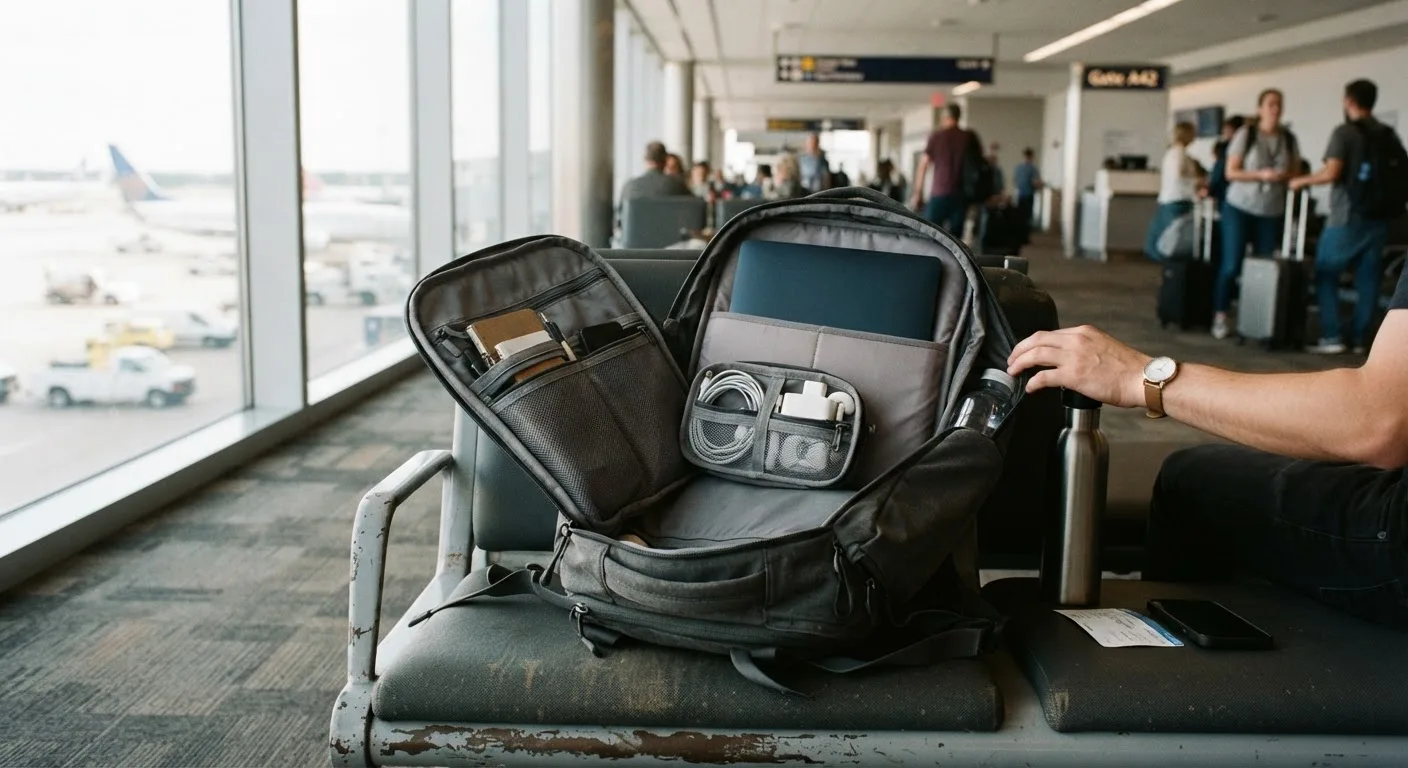
Connectivity Hardware: The Redundancy That Pays for Itself
The rule we actually live by is simple: two independent paths to the internet, on two different networks, at all times. A client call and a school session should never be one router reboot away from both failing at once.
In hardware terms that means a second phone or a dedicated hotspot device that can carry its own data connection, and a second eSIM profile from a different carrier than whatever is running your main phone — we've written more fully about which providers work well for this in our guide to the best eSIM for Thailand. The point isn't redundancy for its own sake; it's that home wifi and mobile data fail for different reasons at different times, and having both means one going down is an inconvenience rather than a crisis.
Accommodation wifi deserves five minutes of testing before you sign a lease or confirm a booking, not after. During a viewing, open a video call on your phone using the property's wifi, walk to the room you'd actually work in, and watch whether the call holds steady rather than just whether a speed test app shows a big number — speed tests measure the wrong thing for video calls, which care more about stability than raw throughput.
The Child's Kit Is a Different Problem
It's tempting to treat a child's device as a smaller, cheaper version of the parents' setup. It isn't. A device that a child uses for a full school day has requirements that don't map onto an adult's laptop at all: it needs to survive being dropped, it needs a real physical keyboard for written work rather than an on-screen one that turns every essay into a typing ordeal, it needs headphones sized for a smaller head rather than adult over-ears that slide off, and it needs to keep working offline on travel days when there's no connection for hours at a stretch.
The laptop-versus-tablet question comes up in nearly every conversation we have with other worldschooling families, and our answer is direct: for a child doing real written coursework, a laptop with a proper keyboard beats a tablet, because the curriculum work is mostly document creation, file submission, and downloaded material rather than the kind of touch-first, video-heavy use tablets are built for. We go into the actual day-to-day mechanics of this in our worldschooling daily schedule, and our review of distance-schooling providers, including our Wolsey Hall Oxford review, covers what a curriculum actually demands from the hardware running it.
Printing is a problem every distance-education family eventually runs into, usually right before a submission deadline in a country where the nearest print shop is a forty-minute tuk-tuk ride away. Our answer has been to avoid the problem rather than solve it: we push almost everything toward digital submission, and on the rare occasions a printout is unavoidable, a local print shop or a hotel business center handles it far more reliably than a portable printer we'd otherwise be carrying dead weight for the other 364 days of the year.
Backups for schoolwork matter more than backups for almost anything else in the bag, because a portfolio of a child's work represents months of effort that cannot be recreated. It should live in cloud storage from the day it's created, synced automatically, not saved only to a device that can be dropped in a pool or left on a train.

Software and Security
The software list that actually earns its place is short. Cloud storage does double duty as both a device backup and the home for the child's school portfolio, so it isn't optional. A password manager matters more for a traveling family than a settled one, because you'll be sharing logins for bookings, school portals, and banking across multiple devices in ways that make browser-saved passwords a liability. Offline-capable documents and maps mean a lost connection on a travel day doesn't also mean a lost afternoon.
A VPN earns its place for two specific, legitimate reasons: it encrypts your traffic on public wifi in cafés and coworking spaces where you don't control the network, and it lets you reach home-country services — banking apps in particular — that check your location and quietly refuse to work once they see you logging in from abroad. That's the extent of what we use it for, and it's worth being precise about that rather than overselling it as a workaround for anything else.
The specific trap that catches traveling families on two-factor authentication is recovery tied to a home-country phone number you can no longer receive texts on once your SIM changes. Set up authenticator-app-based two-factor and backup codes stored in your password manager before you leave, not after you've locked yourself out of a banking app from a hotel room in Chiang Mai.
Device tracking should be switched on for every device that leaves the house, and the first hour after a theft has a fixed shape: mark the device lost remotely, change the passwords for anything that was logged in, and file the local police report your insurer will eventually want to see.
Protecting the Hardware
Heat and humidity are not abstract risks in Southeast Asia — they are the most common reason gear fails early out here. Moving a laptop or camera straight from an air-conditioned room into humid outdoor air, or the reverse, causes condensation to form inside the device, and repeated cycles of that accelerate corrosion on ports and connectors and can encourage fungus growth on camera lenses over time. The mitigation is unglamorous: let a device sit closed for a few minutes after a big temperature change before you open it up, keep a small pack of silica gel in the camera or lens bag, and don't leave a laptop in a hot parked car or on a sun-facing desk for hours, since heat also quietly accelerates battery degradation.
Physical protection that's actually worth its weight is limited: a real padded laptop sleeve, some kind of strain relief or cable management so charging cables don't fray at the connector — the single most common cable failure point — and a bag that doesn't visually announce "several thousand dollars of electronics inside" to everyone on the street.
Gear insurance is worth stating plainly, because it surprises people every time: most nomad travel-medical policies do not cover personal electronics at all, or cover them only to a token amount buried in a sub-limit. Covering a laptop, cameras, and a child's device properly means a dedicated gear policy or a homeowner's/renter's contents policy extension bought separately — and a family carrying several thousand dollars of hardware should know, specifically, which of the two they actually have, rather than assuming the travel insurance quietly handles it.
Pro-Tip: photograph every device's serial number and store the photos in the cloud on day one. It takes about ten minutes and it is the entire difference between filing an insurance claim cleanly and just having a story about the time your laptop got stolen.
What We Stopped Carrying
This is the section we'd want to read if we were starting over, because the most useful thing this article can tell you is what not to bring.
The second laptop was the biggest miss. We bought it as a "backup," but a true backup for work is a cloud-synced file system and a second device that's actually in daily use for something else — not an identical spare gathering dust in a bag, adding weight to every single flight for a role it never actually played.
The full camera kit went next. A modern phone camera closed most of the gap for the kind of documentary, family-life photography we were actually doing, and the lenses, bodies, and chargers we used to carry for it were the heaviest, most fragile items in the entire bag for a benefit we stopped noticing after the first few months.
The portable printer we've already mentioned: one printout in eleven months. Single-purpose gadgets in general — a dedicated e-reader when a tablet already exists, a travel router when a phone hotspot does the same job, a third pair of headphones "just in case" — kept losing the argument against their own weight. Physical books lost out to the same math; we now carry perhaps two at a time and let a library app handle the rest.
The general lesson, stated as plainly as we can: in a country like Thailand, almost anything electronic can be bought locally within a day, and often more cheaply than you'd pay at home — a point that comes up again in our breakdown of the real cost of living in Thailand for a nomad family. Weight carried "just in case" isn't a one-time cost. It's a tax you pay on every single flight, for as long as you keep carrying it.
What This Costs, and What to Buy Later
Rather than pretend there's one correct kit, here's how we'd break it into tiers, with cost bands rather than precise prices, since exact pricing shifts too fast to print responsibly.
| Tier | What's included | Approximate cost band (USD) |
|---|---|---|
| Minimum viable | Two laptops already owned, one GaN charger, one power bank under 100Wh, basic stand and keyboard, one eSIM plan | $150–$300 in new purchases |
| Comfortable | Above, plus external mouse, multi-socket travel extension, entry-level portable monitor, second eSIM/hotspot device, child's dedicated laptop with real keyboard | $500–$900 |
| Full setup | Above, plus higher-spec portable monitor with USB-C power delivery, premium noise-isolating headphones for calls, dedicated gear insurance policy, backup power bank for a second adult | $1,200–$2,000+ |
Buy the workstation basics — stand, keyboard, mouse, GaN charger — before you leave, since sourcing a specific spec becomes harder once you're moving between cities. Buy plug adapters, basic cables, and simple accessories on arrival instead; they're widely available in most of Southeast Asia and often cheaper than ordering them in before departure.
Plan for replacement, not just purchase. On a three-year travel horizon, treat cables, power banks, and headphones as consumables that will need swapping at least once, and budget mentally for the laptop that eventually fails at an inconvenient time — because on a long enough timeline, one will.
Frequently asked questions
How many power banks can I take on a flight in 2026?
Most airlines allow up to two power banks in carry-on baggage, provided each is under the 100Wh baseline threshold, or approved in advance if it falls in the 100–160Wh band. Anything above 160Wh is prohibited on passenger flights entirely, and checked baggage is never an option for any power bank.
Can I use a power bank during a flight to Thailand?
Increasingly, no. A number of carriers, including Thai Airways and AirAsia, now ban in-flight charging and use of power banks following Thailand's 2026 civil aviation regulation on the issue. Check the operating airline's current dangerous goods policy before you fly, since rules are still being adjusted.
Do I need a voltage converter in Thailand?
Almost certainly not for modern electronics. Thailand runs at 220V, 50Hz with Type A, B, and C sockets, and virtually all laptop and phone chargers are rated 100–240V, 50/60Hz, meaning you only need a plug shape adapter. Check the "INPUT" line printed on your charger to confirm before buying anything.
Is a portable monitor worth carrying for a family?
It depends on the work. For spreadsheet-, code-, or document-heavy jobs, a second screen genuinely improves output and is worth the weight. For email, calls, and general admin, most families stop carrying theirs within a year; a tablet used as a secondary display is a lighter middle ground worth trying first.
What device should a homeschooled child travel with?
A laptop with a real physical keyboard generally beats a tablet, because distance-schooling coursework is dominated by document creation, file submissions, and downloaded material rather than touch-first apps. Durability, offline capability, and child-sized headphones matter more here than raw processing power.
Is our laptop covered by nomad travel insurance?
Usually not, or only to a small sub-limit. Most nomad travel-medical policies focus on health coverage and exclude personal electronics almost entirely. Protecting several thousand dollars of gear properly means buying a dedicated gear insurance policy or a home contents policy extension, and knowing specifically which one you have.
What tech should we buy in Thailand instead of bringing?
Cables, plug adapters, basic power banks under the airline-safe threshold, and many accessories are widely available locally, often at lower prices than buying before departure. Specialized items — a specific laptop model, a child's durable device with the right keyboard, or a particular monitor spec — are safer to source before you leave.
The Bag As It Stands Today
| Function | What's currently in the bag |
|---|---|
| Adult work computer (x2) | Two separate laptops, no shared point of failure |
| Ergonomics | Folding laptop stand, low-profile Bluetooth keyboard, compact mouse |
| Second screen | One lightweight USB-C portable monitor, used selectively |
| Power | One multi-port GaN charger, one power bank under 100Wh, one compact multi-socket extension |
| Connectivity | Two active eSIM profiles on different carriers, one dedicated hotspot device |
| Child's device | One durable laptop with a full keyboard, child-sized headphones |
| Protection | Padded laptop sleeves, silica gel packets in the camera bag, labeled cable pouch |
| Software | Cloud storage syncing automatically, password manager, authenticator-app two-factor, one VPN subscription |
If we replaced one thing first, it would be the oldest power bank in the bag — not because it's failed, but because its printed Wh rating has started to rub off, and an unreadable label is exactly the kind of thing that gets a device pulled aside at security under the current rules.
Airline battery policies in particular are moving faster than almost anything else in this list. Check the specific rule for your specific carrier before every long-haul flight — what flew without a second glance last year may not fly the same way next time.
Sources
Written by Fabrizio Bestoso
Fabrizio Bestoso is a digital entrepreneur and the father of a family that lives and works on the move across Thailand, Asia, Spain and Middle East. He started Nomad Family Hub to turn the logistics his own family works through — the DTV visa, health insurance, multi-currency money, distance schooling, work — into step-by-step guides, each checked against official sources and against what actually happened.